New Video- ADAM-250PN - Full Walkthrough with TIA Portal, Node-RED & MQTT → Watch now


Learn Ladder, FBD and Structured Text from scratch in Connected Components Workbench, then connect your PLC to Node-RED, SCADA, HMIs and MQTT. CCW is free and includes a PLC simulator, so you can start without hardware.
“Rajvir is a great teacher. He keeps his explanations short and simple.”
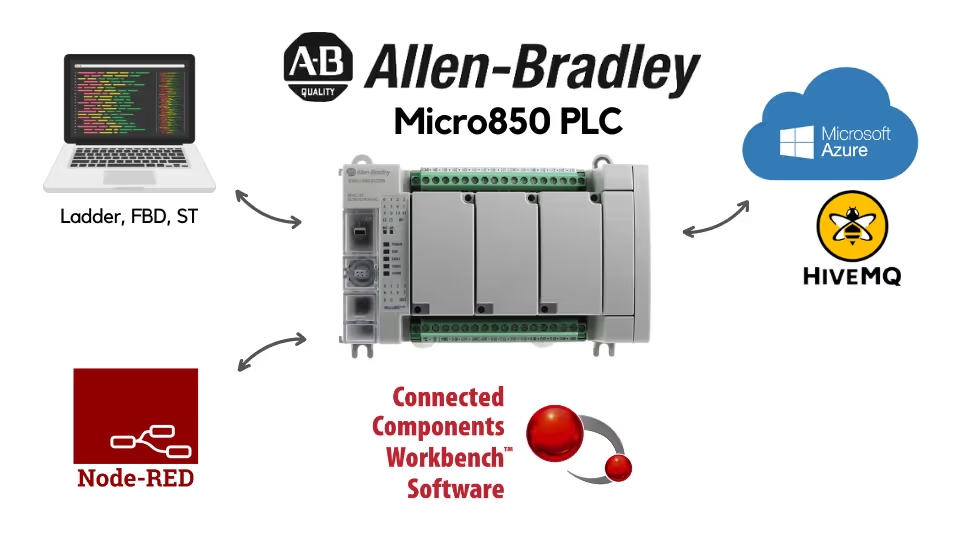
One course that takes you from PLC basics to connecting the Micro850 with modern IIoT tools.
Write Ladder, FBD and Structured Text, from bit logic and timers to loops, arrays and function blocks.
Add and configure the IF2 analog input and OF2 analog output modules.
Practise PID control with a process simulator.
Use the Micro850 as a MODBUS TCP server and as a client reading another PLC.
Interface the PLC with Ignition SCADA, a Weintek HMI and the SIA Connect edge device.
Publish data to an MQTT broker through an edge device and through Node-RED.
An introduction to the Micro850 PLC, plus downloading and uploading PLC programs.
Bit level, timer, counter, arithmetic, real-time, LIFO and FIFO, binary, string, data manipulation and process control instructions.
Functions and function blocks, then Structured Text with IF-ELSE, CASE, FOR and WHILE loops.
Analog I/O, PID, MODBUS TCP, Ignition SCADA, SIA Connect, Weintek HMI, MQTT and third-party software, plus the course wrap-up.
See how Rajvir teaches, from the PLC itself to Structured Text and MQTT.
Get to know the PLC you will program throughout the course.
See how text-based PLC programming works in CCW.
Learn the protocol you will use to send PLC data to a broker.
Find the course files, exercises and software links on the Code and Compile Wiki.
“Rajvir personally helped me connect CODESYS, OPC UA, and Simumatik to an OEE dashboard in Node-RED. His Micro800 course covers analog I/O, ST, and function blocks far beyond typical YouTube tutorials.”
“Rajvir is an exceptional teacher who simplifies complex topics effortlessly. He’s always available in comments or even via TeamViewer to help you understand. Truly dedicated and teaches straight from the heart.”
“I’m a software engineer at NASA Ames, and Rajvir’s videos greatly help me interface PLCs for testing heat shield systems on reentry vehicles, truly contributing to space exploration and innovation.”
He is a skilled Automation and IIoT Specialist, dedicated to achieving goals with precision. His passion lies in making learning accessible and enjoyable through the use of cutting-edge educational tools.





Take this course on its own, or unlock every Code and Compile course with PRO.
Practice flashcards. Test yourself on PLC and HMI concepts at beginner, medium and advanced levels on cards.codeandcompile.com.
You will be redirected to Code and Compile School for payment.
No. Connected Components Workbench is free and includes a PLC simulator, so you can practise without a Micro850. If you have one, you can follow along on real hardware.
Yes. Every lesson has a comment section for your questions. If a query cannot be resolved there, Rajvir offers free screen-sharing sessions.
Yes. Use the Teachable app on Android or iOS, sign in with your account and save videos for offline access.
Yes. You receive a unique completion certificate when you finish the course.
You can request a refund within 72 hours of purchase by emailing info@codeandcompile.com.
Learn at your own pace, with an instructor who helps you when you get stuck.
Start the courseMaster Industrial Automation and Industrial Internet of Things